

How a simple demo turned into… a game
It always starts innocently. “I’ll make a quick 3D car model demo. Nothing big.”
And then my perfectionism shows up and goes:
“What if this could actually be better?”
And that’s when the demo starts to grow. First there was the model. Then the idea:
since there’s already a model… why not add free roam?
And if there’s free roam:
- a scene
- sky
- ground
HDRI, custom asphalt, first vehicle movement…
And at that point, you already know — this won’t be a small project.
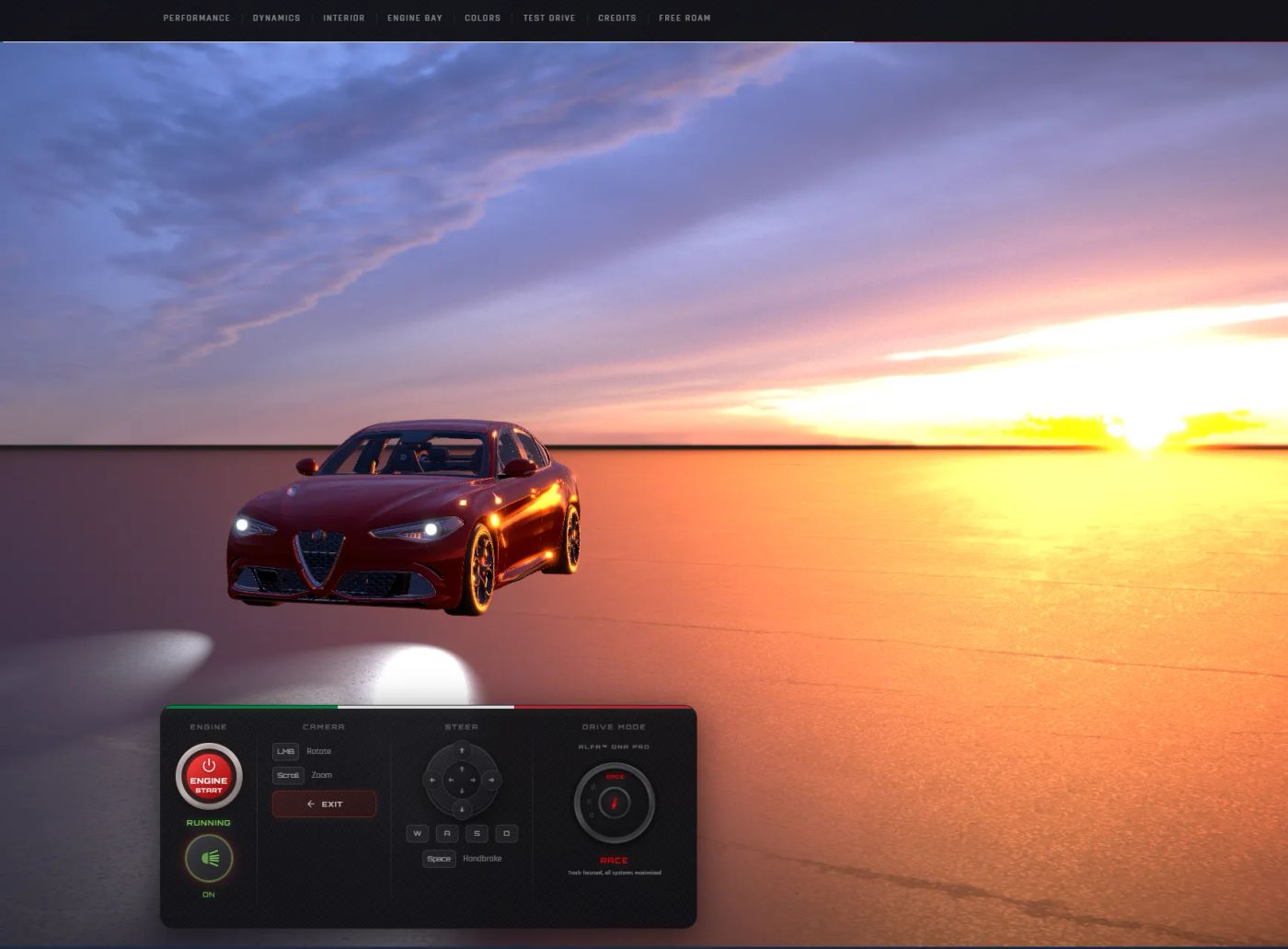
Where fun begun
The car was moving. Great.
But:
- the wheels can’t look fake
- the camera has to “feel” the car
- steering can’t be binary
And that’s when physics comes in.
I didn’t want something flat.
I wanted the car to:
- have weight
- respond to throttle and braking
allow controlled drifting.
Physics — where the magic begins
Instead of a simple movement model, I built a system based on a few key elements:
- slip angle (tire slip angle)
- front/rear separation
- weight transfer
- traction limits (traction circle)
Slip angle (why the car turns at all)
const vLatFront = physics.lateralSpeed + physics.yawRate * halfWB
const vLatRear = physics.lateralSpeed - physics.yawRate * halfWB

let targetFrontSlip = 0
let targetRearSlip = 0

if (absForward > 0.1) {
  targetFrontSlip =
    Math.atan2(vLatFront, absForward) -
    physics.steeringAngle * Math.sign(physics.forwardSpeed)

  targetRearSlip = Math.atan2(vLatRear, absForward)
}
This is where the key thing happens:
- the front and rear of the car have different slip angles
- and that difference determines whether the car turns stably or starts to slide out
This is the foundation of the entire handling model.
Smooth tire behavior (no jerks)
const slipRelaxationAlpha = 1 - Math.exp(-8 * dt)

physics.frontSlipAngle +=
  (targetFrontSlip - physics.frontSlipAngle) * slipRelaxationAlpha

physics.rearSlipAngle +=
  (targetRearSlip - physics.rearSlipAngle) * slipRelaxationAlpha
Without this:
- everything would be instant and unnatural
Thanks to this:
- tires “settle into” their behavior
- the car feels predictable and smooth
Grip limits
const frontLatAvailable = Math.sqrt(
  Math.max(0, 1.0 - Math.pow(frontLongUsage * 0.95, 2))
)

const rearLatAvailable = Math.sqrt(
  Math.max(0, 1.0 - Math.pow(rearLongUsage * 0.95, 2))
)
This prevents situations like:
- full braking + maximum steering = zero consequences
Here:
- the more you brake or accelerate
- the less grip you have
That’s how understeer appears
Weight transfer
const weightTransferLong =
  (longitudinalAccel * config.cgHeight) / config.wheelbase

physics.weightTransfer = THREE.MathUtils.lerp(
  physics.weightTransfer,
  weightTransferLong * 0.015,
  Math.min(1, 2 * dt)
)
Effect:
- under braking, the front “dives”
- under acceleration, the rear gains more grip
Visually it’s subtle, but it has a big impact on handling.
A trick for better low-speed handling
const lowSpeedBoost = speedPercent < 0.5
  ? THREE.MathUtils.lerp(
      config.lowSpeedGripBoost,
      1.0,
      speedPercent / 0.5
    )
  : 1.0
The problem with realistic physics parameters at a non-realistic vehicle scale was zero steering response at low speeds.
I couldn’t fix it by tweaking tire values alone.
So at lower speeds, I applied a trick to increase controllability.
Trail braking
const isTrailBraking =
  brakeUsage > 0.3 && steeringAmount > rotationThreshold

const brakingRearReduction = THREE.MathUtils.lerp(
  1.0,
  config.brakingRearGripReduction,
  rotationIntensity
)
One of the most important things when using a keyboard.
Effect:
- brake + turn → the rear starts to rotate (slightly or a lot)
- you can “set” the car up for the corner
Geometric steering correction
const geometricYawRate =
  absForward > 0.1
    ? (physics.forwardSpeed * Math.tan(physics.steeringAngle)) /
      config.wheelbase
    : 0

const yawError = geometricYawRate - physics.yawRate
const desiredCorrAccel = yawError * config.geometricSpringRate

const clampedCorrAccel = THREE.MathUtils.clamp(
  desiredCorrAccel,
  -maxCorrAccel,
  maxCorrAccel
)

physics.yawRate += clampedCorrAccel * geometricBlend * dt
This makes the car turn smoothly instead of snapping like in arcade games.
Even though it’s still hard to fully feel on a keyboard, the driving experience is much more enjoyable.
Adaptive damping
const effectiveLateralDamp = THREE.MathUtils.lerp(
  gripDamp,
  slideDamp,
  smoothstep(maxSaturation, 0.3, 1.0)
)

physics.lateralSpeed *= Math.max(
  0,
  1 - effectiveLateralDamp * dt
)
Effect:
- in normal driving, the car is stable
- in a slide, it allows the drift to develop and be controlled
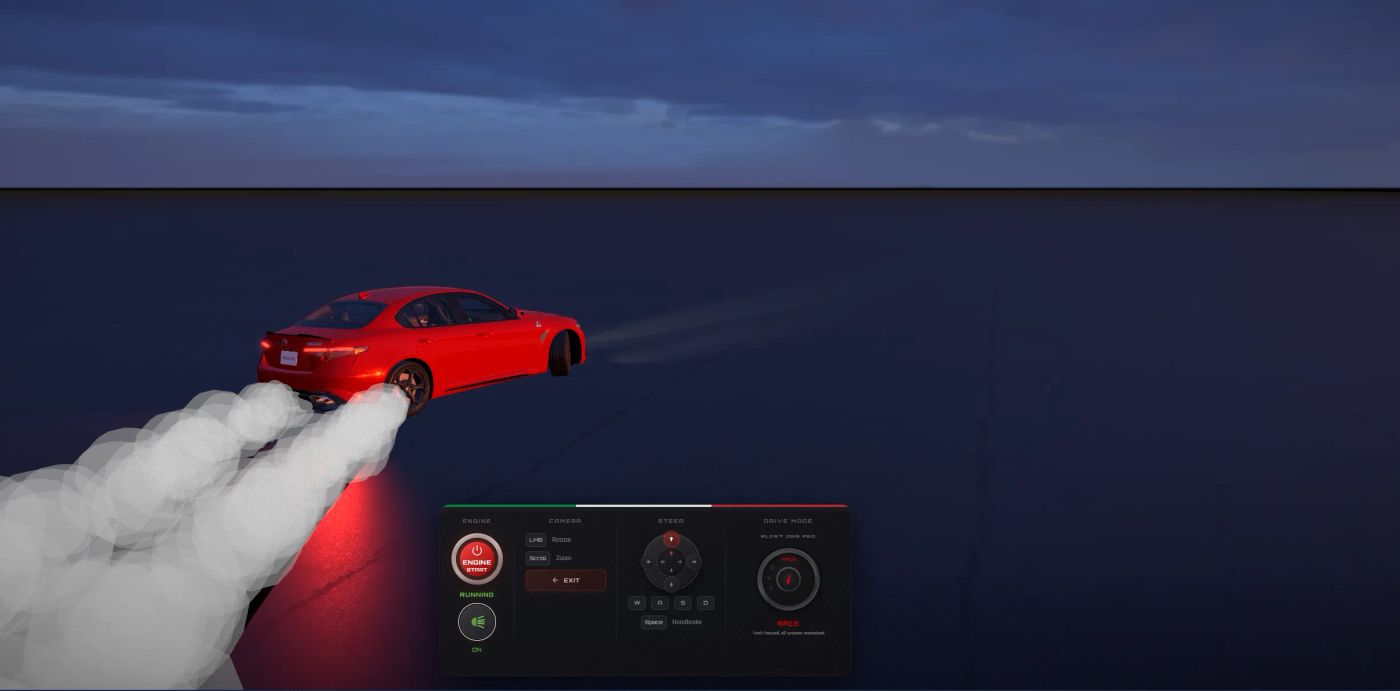
Let there be light
The 3D model is quite limited, partly because of the .glb format.
Because of that, my original idea for headlights couldn’t be achieved using reflective meshes alone.
Instead of fighting it, I used smarter solutions:
- emissive meshes for bloom
- spotlights for actual lighting
- additional “spill” lights for a softer effect
All perfectly positioned in 3D space relative to the car model.
<mesh position={[-0.78, 0.72, 2.28]}>
  <sphereGeometry args={[0.03, 8, 8]} />
  <meshStandardMaterial
    emissive="#e8f4ff"
    emissiveIntensity={0}
    transparent
  />
</mesh>
Effect:
- the lights look natural
- they illuminate the scene
- they have depth and intensity
Everything together
On top of that, I added:
- drifting
- smoke
- sound based on real Alfa Romeo samples
- dynamic camera
- body roll
- polished details
What was supposed to be just a 3D model experiment turned into almost a full game.
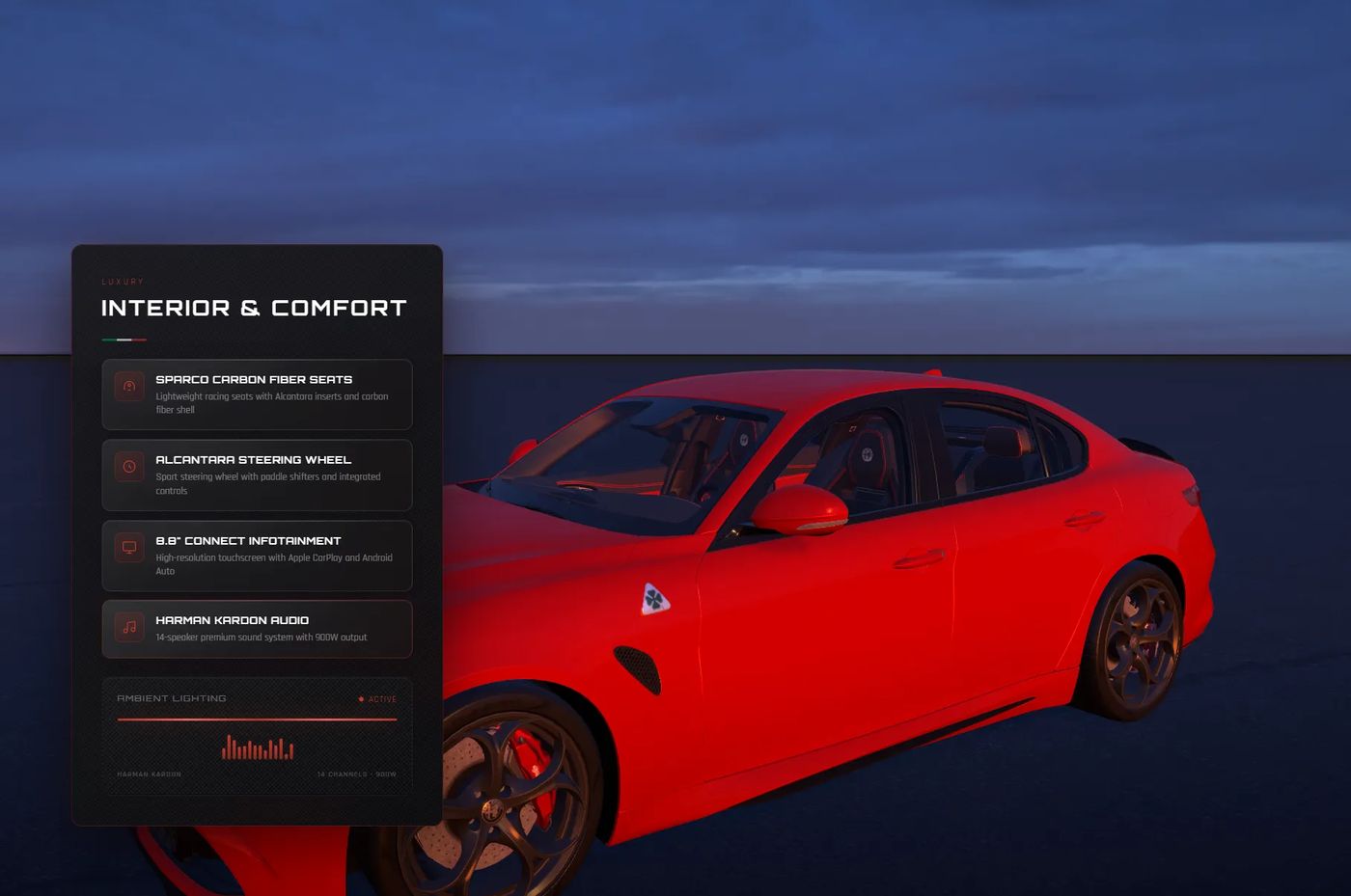
Why?
Because I don’t do half-measures. I won’t put my name on something that’s just “okay.” Either I do it properly, or not at all. And with every project, the bar gets higher.
For clients, that means one thing:
they get something refined down to the smallest detail.
For me…
well — let’s just say my life outside of projects sometimes suffers 😅
You can drift this piece of art here:
https://alfaromeodemo.netlify.app/